AI News
Best AI Tools for Chromebook Plus

Google just made Chromebook Plus laptops way smarter with new AI tools that help you get more done. These updates make working on your Chromebook easier, faster, and more fun. Let’s look at all the cool new features and how they can help you every day.
What’s New with Chromebook Plus AI Features?
Google added several AI-powered tools to Chromebook Plus laptops. These tools help you organize your work better, create images, capture text from photos, and understand difficult reading material. The best part? Most of these features work automatically, so you don’t need to be tech-savvy to use them.
Smart Window Grouping: Keep Your Work Organized
One of the coolest new features is smart grouping. This tool watches what you’re doing and suggests putting related windows together on one virtual desktop.
Here’s how it works: Let’s say you’re in a work meeting. You have your video call open, a presentation showing, your notes app running, and your calendar visible. Instead of switching between all these windows, your Chromebook can group them all together on one virtual desk. This makes it super easy to find what you need without getting lost in a mess of open windows.
This feature is perfect for:
- Students working on research projects
- Business people juggling multiple tasks
- Anyone who likes to stay organized
- People who get distracted easily
Create Pictures Right from Your Gallery
The new update lets you make AI images directly in the Gallery app. You don’t need to download special apps or visit websites. Just open your photos, and you can create new images using Google’s AI tools.
This is great for:
- Making social media posts
- Creating presentations
- Adding fun images to school projects
- Making birthday cards or invitations
Text Capture: Turn Pictures into Editable Text
Have you ever seen text in a photo and wished you could copy it? Now you can! The text capture tool uses AI to read text from images and turn it into text you can edit and copy.
This works for:
- Handwritten notes from meetings
- Recipes you photographed
- Shopping receipts
- Signs or documents you took pictures of
- Whiteboard notes from classes
Quick Insert: Add Images and Emojis Fast
The Quick Insert key got an upgrade too. Now you can quickly add AI-made images, photos, and emojis while you’re writing or making presentations. No need to switch apps or search the internet.
This speeds up:
- Writing emails
- Making school presentations
- Creating social media posts
- Working on creative projects
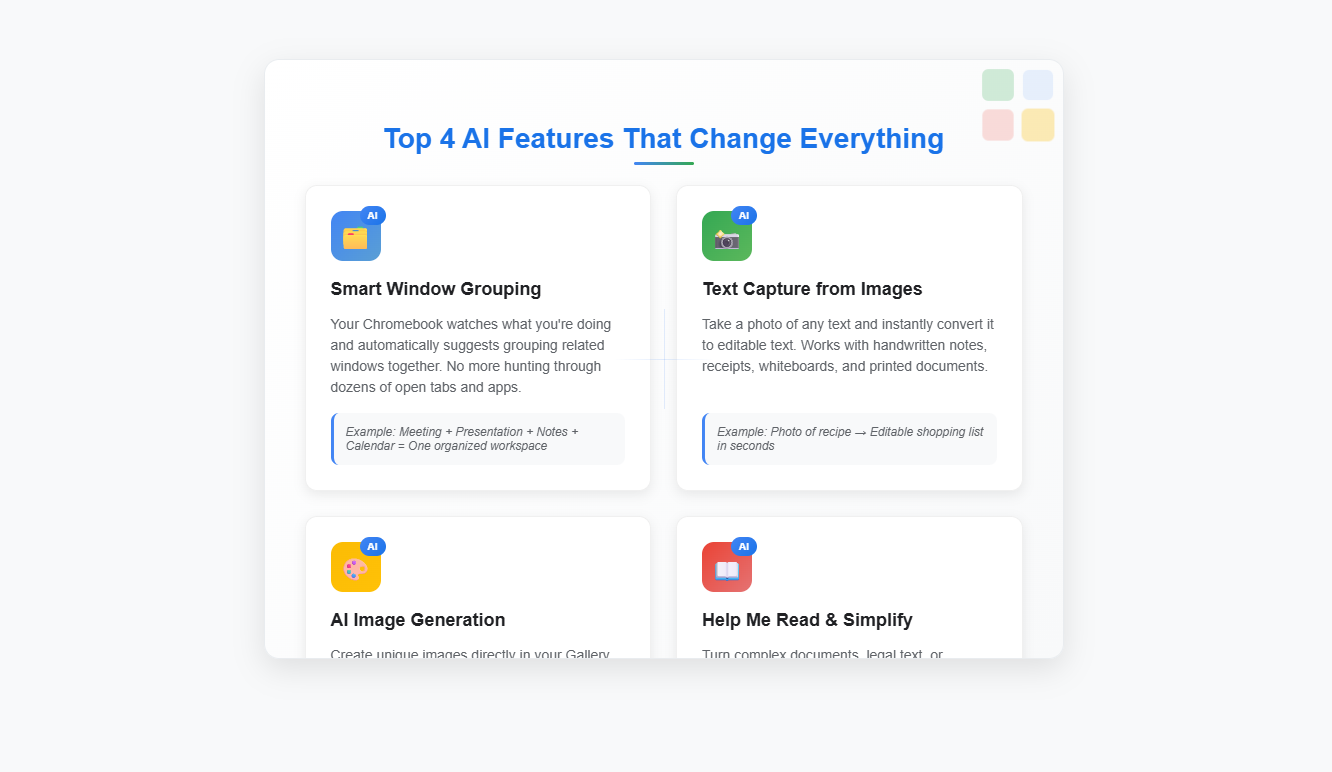

Help Me Read: Make Hard Text Easy to Understand
Sometimes you need to read something really complicated – like legal documents, scientific papers, or technical manuals. The “Help me read” tool now has a “simplify” option that rewrites hard-to-understand text into simple summaries.
This helps:
- Students reading textbooks
- Workers dealing with contracts
- Anyone learning new topics
- People reading in their second language
Free Google AI Pro Plan: What You Get
When you buy a new Chromebook Plus, you get 12 months of Google AI Pro for free. This is a big deal because it usually costs money. Here’s what’s included:
2TB of Cloud Storage
You get tons of online storage space – enough for thousands of photos, documents, and files. This means you can access your stuff from anywhere and never worry about running out of space.
Gemini AI Access
You can use Google’s powerful Gemini AI in Gmail, Google Docs, and other Google apps. Gemini can help you write emails, create documents, answer questions, and solve problems.
NotebookLM Integration
NotebookLM is Google’s AI research assistant. You can launch it right from your Chromebook’s shelf. It helps you research topics, organize information, and write better.
Understanding Google AI: Amazing Facts You Should Know
Google has been working on AI for over 20 years. Here are some fascinating facts about Google’s AI journey:
Google’s AI History
Google started using AI way back in the early 2000s. Their search engine was one of the first major AI applications that millions of people used every day. Today, Google processes over 8.5 billion searches daily, all powered by AI.
DeepMind Partnership
Google owns DeepMind, the company that created AlphaGo – the AI that beat the world champion at the ancient game of Go. This was huge because Go is incredibly complex, with more possible moves than there are atoms in the observable universe.
Language Understanding
Google’s AI can understand and translate over 130 languages. Google Translate processes more than 100 billion words every day, helping people communicate across language barriers.
Image Recognition Power
Google Photos uses AI to recognize faces, objects, and even emotions in pictures. It can sort through millions of photos in seconds and find exactly what you’re looking for.
Environmental Impact
Google’s AI helps make their data centers 50% more energy-efficient. They use AI to predict weather patterns and optimize cooling systems, saving huge amounts of electricity.
How These AI Tools Help Different Types of Users
For Students
- Take pictures of whiteboards and convert them to editable notes
- Simplify complex textbook passages
- Organize research materials automatically
- Create visual aids for presentations
- Get help with writing assignments through Gemini
For Remote Workers
- Keep meeting materials organized in virtual desks
- Quickly capture information from documents
- Create professional images for presentations
- Get writing help for emails and reports
- Access files from anywhere with cloud storage
For Creative Professionals
- Generate unique images for projects
- Organize creative assets efficiently
- Convert handwritten sketches to digital text
- Quick access to visual elements
- Enhanced photo editing capabilities
For Small Business Owners
- Digitize receipts and invoices easily
- Create marketing materials quickly
- Organize business documents better
- Improve email communication
- Access business files from anywhere
Getting Started with Your New AI Tools
Setting up these features is simple. When you turn on your new Chromebook Plus, the AI tools are ready to use. Here’s how to get the most out of them:
- Explore Smart Grouping: Open several related apps and see how ChromeOS suggests grouping them
- Try Text Capture: Take a photo of some text and watch it become editable
- Test Image Generation: Open Gallery and try creating an AI image
- Use Quick Insert: Press the Quick Insert key while writing to add images and emojis
- Activate Help Me Read: Find a complex article and use the simplify feature
Privacy and Security with Google AI
Google takes privacy seriously with their AI tools. Your data stays protected, and you control what information the AI can access. The AI features work locally on your device when possible, which means your personal information doesn’t always need to go to Google’s servers.
The Future of AI on Chromebooks
These new AI features are just the beginning. Google continues to improve and add new capabilities. Future updates might include:
- Even smarter organization tools
- Better voice recognition
- More creative AI features
- Enhanced learning assistance
- Improved accessibility options
Tips for Maximizing Your AI Experience
Keep Your Chromebook Updated
Make sure you have the latest ChromeOS version to get all the newest AI features and improvements.
Experiment with Different Features
Don’t be afraid to try all the AI tools. The more you use them, the better they work for your specific needs.
Combine Tools for Better Results
Use multiple AI features together. For example, capture text from an image, then use Help Me Read to simplify it.
Provide Feedback
Google improves their AI based on user feedback. Let them know what works well and what could be better.
Comparison with Other Laptop AI Features
Chromebook Plus AI tools stand out because they’re:
- Built into the operating system
- Easy to use without technical knowledge
- Free for the first year
- Integrated with Google’s ecosystem
- Constantly improving through updates
Conclusion: Why These AI Tools Matter
The new AI features on Chromebook Plus laptops make computing more natural and helpful. Instead of fighting with technology, you can focus on getting things done. Whether you’re a student, worker, or creative person, these tools adapt to help you succeed.
The combination of smart organization, easy text capture, quick image creation, and reading assistance creates a powerful productivity suite. Plus, with 12 months of Google AI Pro included, you get professional-level tools without the professional price tag.
As AI continues to evolve, Chromebook Plus users will be at the forefront of this technology revolution. These laptops aren’t just computers anymore – they’re intelligent partners that help you work smarter, not harder.
The future of computing is here, and it’s more accessible than ever. With Chromebook Plus and its AI tools, anyone can harness the power of artificial intelligence to boost their productivity and creativity.